

Productivity Apps for Creative Professionals

Last updated by Editorial team at creatework.com on Wednesday 30 September 2026
Article Image for Productivity Apps for Creative Professionals

Productivity Apps for Creative Professionals: Building a Sustainable, Inspired Workflow

Creative professionals across design, writing, film, music, marketing, and product development are navigating an era in which inspiration and execution must coexist with increasingly complex digital tools, distributed teams, and global clients. The most successful creatives are not simply more talented; they have learned to orchestrate their time, attention, and collaborations using thoughtfully chosen productivity apps that enhance rather than dilute their craft. For the creative freelance resources research team which serves freelancers, remote workers, and creative entrepreneurs around the world, the central question is how to integrate these tools into a workflow that remains human, inspired, and sustainable.

This article explores the current landscape of productivity apps for creative professionals, focusing on real-world use cases, emerging trends in artificial intelligence and automation, and practical strategies for building a resilient digital ecosystem that supports long-term creative careers.

The New Creative Workflow: From Linear to Layered

For many years, creative work followed relatively linear processes: a brief, a draft, a revision cycle, and delivery. Today, creative professionals often manage multiple clients and projects simultaneously, collaborate with teams spread across continents, and juggle ideation, production, marketing, and business administration. This shift has fundamentally changed what productivity means in the creative industries.

Modern workflows are layered rather than linear. A designer might brainstorm in a visual whiteboard, refine ideas in a design suite, manage feedback in a project management tool, coordinate with a remote developer in a chat app, and track invoices in a finance platform. The challenge is not merely choosing the "best" app in each category; it is ensuring these tools work together without overwhelming attention or fragmenting focus.

Resources such as our guidance on productivity tools and remote work emphasize that creative professionals benefit most when they treat their apps as part of a holistic system, rather than as isolated solutions. The goal is to create a workflow where ideas move fluidly from capture to completion, where collaboration is transparent, and where administrative tasks are streamlined enough to leave meaningful space for deep creative work.

Core Categories of Productivity Apps for Creatives

While the specific tools vary by discipline, most creative workflows can be understood through a few core categories of apps. Understanding these categories helps professionals design a system that supports both their art and their business.

Idea Capture and Creative Notetaking

The first step in any creative process is capturing ideas quickly and reliably, whether they arrive during a client call, a commute, or a late-night moment of insight. Digital notetaking tools such as Evernote, Microsoft OneNote, and Notion have become staples for many professionals because they allow text, images, audio, and links to be stored and synced across devices. Platforms like Notion have evolved into flexible workspaces where creatives can combine notes, databases, and project dashboards in a single interface.

Writers, journalists, and researchers often rely on apps like Obsidian and Roam Research to build interconnected networks of ideas, using backlinking and graph views to discover patterns and themes over time. These tools align well with the way creative thinking often works: non-linear, associative, and iterative. For visual thinkers, digital sketching and whiteboarding tools such as Miro and FigJam enable rapid brainstorming with collaborators across Europe, North America, Asia, and beyond.

At CreateWork, the emphasis on building sustainable creative careers encourages professionals to integrate idea capture with broader systems for guides and workflows, ensuring that notes do not simply accumulate, but are transformed into actionable projects and deliverables.

Project and Task Management for Multi-Client Work

Once ideas are captured, they must be translated into concrete tasks and timelines. Creative professionals frequently manage overlapping deadlines, feedback cycles, and deliverables for clients in the United States, United Kingdom, Germany, Australia, and many other regions. Project management tools such as Trello, Asana, ClickUp, and Monday.com have become central to keeping this complexity under control.

Trello's card-based boards appeal to creatives who prefer visual overviews of their work, with lists representing stages like "Ideas," "In Progress," and "Delivered." Asana and ClickUp provide more advanced features for agencies and studios, including dependencies, workload views, and integrations with time-tracking and communication tools. For remote teams, these platforms help ensure that everyone, from art directors to copywriters to motion designers, understands priorities and responsibilities.

Learn more about structuring scalable creative businesses through CreateWork's resources on business operations and business startup strategies, which explore how project management tools can support both solo freelancers and growing creative agencies.

Time Tracking, Billing, and Financial Management

Sustainable creative careers depend not only on the quality of the work but also on clear financial structures. Time-tracking and billing tools such as Toggl Track, Harvest, and RescueTime enable creatives to understand how they spend their hours, distinguish between billable and non-billable work, and adjust pricing or processes accordingly. These insights are especially valuable for freelancers and independent studios working with clients across currencies and time zones.

Invoicing and accounting platforms like FreshBooks, QuickBooks Online, and Xero simplify tasks such as sending invoices, tracking payments, and managing expenses. For freelancers and remote workers, integrating time tracking with invoicing can significantly reduce administrative overhead, freeing more time for creative production. External resources such as Investopedia and NerdWallet offer additional guidance on financial best practices for self-employed professionals.

Because financial literacy is critical to long-term creative independence, CreateWork provides focused content on money and income and finance strategies, helping creative professionals worldwide understand pricing, budgeting, and the financial tools that support sustainable work.

Communication and Collaboration in Remote Creative Teams

Remote and hybrid work have become deeply embedded in creative industries, with teams in cities such as London, Berlin, Toronto, Sydney, and Singapore collaborating daily across platforms. Communication apps like Slack, Microsoft Teams, and Discord enable real-time messaging, file sharing, and integration with project management and design tools. Video conferencing platforms such as Zoom, Google Meet, and Whereby support client presentations, creative reviews, and team retrospectives.

For creative professionals, the challenge is to use these tools in ways that encourage meaningful collaboration without fragmenting attention. Many teams are adopting "async-first" practices, relying on written updates, recorded video walkthroughs, and shared documents rather than constant meetings, allowing designers and writers to protect blocks of uninterrupted time. Articles from sources like Harvard Business Review and MIT Sloan Management Review have highlighted how asynchronous communication can improve both productivity and well-being in distributed teams.

CreateWork's dedicated pages on remote work and employment trends explore how professionals in Europe, Asia, Africa, and the Americas can adapt communication norms to different cultures and time zones while maintaining strong creative collaboration.

Creative-Specific Tools: Design, Writing, Audio, and Video

Beyond general productivity apps, creative professionals rely on specialized tools that blend production and workflow management. These applications increasingly incorporate built-in collaboration, asset management, and even basic project tracking, blurring the lines between "creative app" and "productivity app."

Visual Design and Illustration

Designers working in branding, product design, and marketing often use suites such as Adobe Creative Cloud, including Photoshop, Illustrator, InDesign, Premiere Pro, and After Effects. Adobe's cloud-based libraries and shared projects support collaboration between teams in multiple countries, while integration with tools like Frame.io streamlines video review and approvals. Adobe's documentation and updates can be explored on the official Adobe website.

In interface and product design, tools such as Figma and Sketch have transformed workflows through real-time co-editing, component libraries, and design systems. Figma in particular has become a central hub for designers, developers, and stakeholders to collaborate on user interfaces, prototypes, and design documentation. Its browser-based structure and cross-platform support make it especially well-suited for remote teams in regions from North America to Asia-Pacific.

Writing, Content, and Publishing

Writers, editors, and content strategists rely on platforms that combine drafting, version control, and collaboration. Google Docs and Microsoft Word Online remain widely used for shared documents, with commenting and suggestion features that support editorial workflows. For long-form and book-length projects, applications like Scrivener and Ulysses provide structured environments where chapters, research, and notes are organized in a single project file.

Grammatical and style support tools such as Grammarly and ProWritingAid assist with clarity, tone, and correctness, particularly for freelancers writing in a second language for global audiences. While these tools are not substitutes for professional editing, they can significantly reduce revision time and help maintain consistency across large volumes of content. Writers can explore additional resources on craft and publishing through organizations such as PEN America and The Authors Guild.

Audio, Music, and Podcast Production

Musicians, podcasters, and audio engineers increasingly rely on digital audio workstations (DAWs) like Ableton Live, Pro Tools, Logic Pro, and Reaper. Many of these platforms now support cloud-based collaboration, shared project files, and integrated plug-in management, allowing teams to work together from studios in Los Angeles, Berlin, Tokyo, or São Paulo.

Podcast-specific tools such as Descript and Riverside.fm offer transcription, multitrack editing, and remote recording capabilities that simplify production workflows. Descript's text-based editing, for example, allows creators to edit audio and video by editing the transcript, blending creativity with productivity in a distinctive way. Additional guidance for audio professionals can be found through resources like Sound on Sound and AES.

Video and Motion Graphics

Filmmakers, motion designers, and content creators manage complex timelines, large media files, and intricate feedback cycles. Applications such as Adobe Premiere Pro, DaVinci Resolve, and Final Cut Pro provide advanced editing capabilities, while tools like Frame.io and Wipster focus on collaborative review, enabling clients and team members to comment directly on video frames.

Cloud storage and media management platforms, including Dropbox, Google Drive, and Frame.io's own asset libraries, help teams maintain version control and access large files from different locations. Industry resources such as No Film School and American Cinema Editors provide insights into how professional editors and directors integrate these tools into daily practice.

AI and Automation: Enhancing, Not Replacing, Creative Work

Artificial intelligence has rapidly become embedded in the tools that creative professionals use every day. From AI-assisted image generation to automated transcription and smart scheduling, these capabilities can significantly increase productivity when used thoughtfully and ethically.

Designers and illustrators are experimenting with AI-based tools such as Adobe Firefly, Midjourney, and DALL.E to generate concept art, explore variations, and prototype ideas. These tools can accelerate early-stage ideation, especially when time and budgets are tight, but they also raise important questions about copyright, training data, and originality. Major organizations and legal experts are actively debating these issues, and coverage from sources like The Verge and Reuters highlights ongoing legal and policy developments.

Writers and marketers increasingly use AI-assisted writing tools integrated into platforms such as Notion, Grammarly, and Microsoft Copilot, which can help with outlining, summarization, and language refinement. When used as drafting or brainstorming assistants rather than final content generators, these tools can reduce repetitive work and free more time for strategic and creative thinking.

For audio and video professionals, AI-driven tools now handle tasks such as noise reduction, color matching, transcription, and captioning with remarkable speed. Services like Otter.ai, Rev, and Whisper-based applications have made transcription more accessible, while automated captioning features in platforms like YouTube and Premiere Pro support accessibility and localization.

The hard-working editorial team provides an integrated perspective on these developments through its dedicated page on AI and automation in work, emphasizing that creative professionals benefit most when they treat AI as a collaborator that enhances human judgment and originality, rather than as a replacement for craft and expertise.

Building a Personal Productivity Stack as a Creative Professional

The abundance of tools available today means that no single "best" productivity app exists for all creatives. Instead, the most effective approach is to design a personal productivity stack that reflects one's discipline, working style, and career goals. This process involves careful selection, deliberate experimentation, and ongoing refinement.

Many experienced freelancers and creative entrepreneurs begin by defining the core functions they need to support: idea capture, project management, communication, file storage, time tracking, and financial management. They then choose one primary tool for each function, aiming to minimize overlap and reduce context switching. Over time, they may add specialized tools for tasks such as mood boards, script breakdowns, or storyboard creation, but they maintain a clear hierarchy of "central" versus "supporting" apps.

The concept of "minimum effective tooling" is gaining traction among creative professionals seeking to avoid burnout and digital fatigue. Instead of constantly chasing new apps, they focus on mastering a carefully chosen set of tools and integrating them into daily habits and routines. Thought leaders in productivity and creativity, including authors featured on Cal Newport's blog and Farnam Street, often emphasize that deep work and deliberate practice matter more than the specific software used.

For those building or scaling creative businesses, the resources on technology strategy and overall business planning provide frameworks for evaluating software investments, negotiating team licenses, and designing workflows that can grow with the organization.

Global Perspectives: Freelancers and Remote Creatives Around the World

The rise of global freelancing platforms and remote collaboration has given creative professionals unprecedented access to clients and collaborators across continents. Designers in Poland work with startups in San Francisco; copywriters in South Africa craft campaigns for brands in the United Kingdom; video editors in Thailand cut content for agencies in Germany. Productivity apps form the infrastructure that makes these collaborations possible.

Freelancers benefit from tools that help them manage multiple clients, contracts, and time zones. Platforms like Upwork, Fiverr, and Toptal connect creatives with global opportunities, while specialized marketplaces such as 99designs or Voices focus on particular disciplines. Managing this complexity requires careful use of calendar apps, time zone converters, and communication tools that respect boundaries and work-life balance.

CreateWork's dedicated section for freelancers and its articles of the global economy and work trends explore how shifts in remote work, digital infrastructure, and cross-border collaboration are reshaping creative careers in regions including Europe, Asia, Africa, and the Americas. These insights help professionals understand not only which tools to use, but also how to navigate pricing, contracts, and cultural differences in international work.

Upskilling and Lifelong Learning in a Rapidly Evolving Tool Landscape

Productivity apps and creative tools evolve quickly, with new features, integrations, and competitors emerging every year. Creative professionals who thrive in this environment treat learning as an ongoing part of their practice, not a one-time project. They regularly explore tutorials, online courses, and community forums to deepen their skills and discover more efficient workflows.

Platforms such as Coursera, Udemy, and LinkedIn Learning offer courses on software like Adobe Creative Cloud, Figma, Notion, and project management tools, often taught by experienced practitioners. Community-driven sites like Skillshare and Domestika provide more creative-focused classes, from illustration and animation to storytelling and branding.

Recognizing the importance of continuous improvement, CreateWork maintains a strong focus on upskilling and professional development, encouraging creatives to schedule regular time for learning into their weekly routines. This practice not only increases productivity but also helps professionals adapt to new client demands, technologies, and market trends.

Well-Being, Focus, and the Human Side of Productivity

Amid all the emphasis on tools and efficiency, it is essential to remember that creative work is fundamentally human. Productivity apps can either support or undermine well-being depending on how they are used. Constant notifications, fragmented attention, and the pressure to be "always on" can diminish both the quality of creative output and overall life satisfaction.

Many professionals are adopting strategies to maintain healthy boundaries with technology. They schedule focused blocks of time without email or chat, use app timers or website blockers to reduce digital distractions, and design physical workspaces that support concentration. Mindfulness and mental health resources, including those from organizations like Mind and Headspace, are increasingly recognized as integral to sustainable creative careers.

CreateWork's broader perspective on lifestyle and work balance emphasizes that true productivity for creatives is not measured only by output, but also by the ability to maintain curiosity, resilience, and joy in the work itself. The right combination of apps can help protect that space by reducing friction in administrative tasks, clarifying priorities, and enabling more time in the creative "flow" state.

A Thoughtful, Human-Centered Digital Studio, oh yes!

As of this decade, the digital studio of a creative professional is no longer confined to a single desk or a single software suite. It is a distributed, evolving ecosystem of apps, platforms, and practices that together shape how ideas move from imagination to reality. The most inspiring stories in the creative industries today come from individuals and teams who have learned to harness technology without being dominated by it, using productivity apps as instruments in a larger symphony of talent, collaboration, and purpose.

For the digital nomad type community, here, the opportunity is to design workflows that are not only efficient but also deeply aligned with personal values and creative ambitions. By choosing tools intentionally, staying committed to ongoing learning, and prioritizing well-being alongside output, creative professionals in every region-from New York to Nairobi, Berlin to Bangkok, São Paulo to Seoul-can build careers that are both productive and profoundly fulfilling.

Those who approach productivity apps not as a race to adopt every new feature, but as a careful craft of building a supportive environment for their best work, will be well-positioned to thrive in the years ahead.
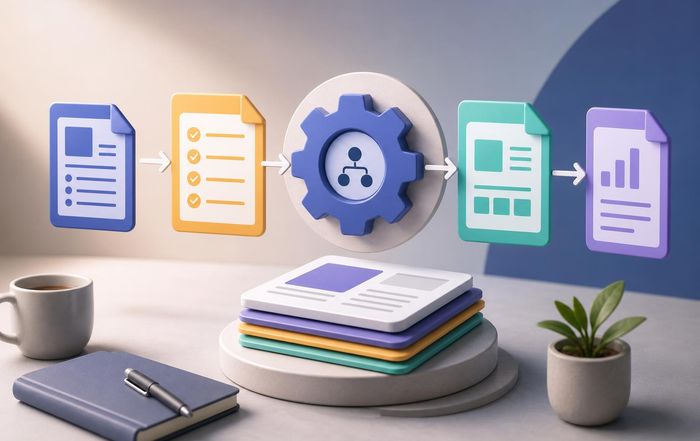

How to Create Repeatable Workflows With Templates

Last updated by Editorial team at creatework.com on Tuesday 29 September 2026
Article Image for How to Create Repeatable Workflows With Templates

How to Create Repeatable Workflows With Templates

Creating repeatable workflows with templates has become one of the most powerful ways for professionals, teams, and independent creators to scale their impact without sacrificing quality. Across global hubs of innovation from the United States and the United Kingdom to Singapore and Germany, individuals and organizations are discovering that well-designed templates are not just administrative conveniences; they are strategic assets that encode expertise, reduce cognitive load, and make complex work reliably deliverable.

For CreateWork, which serves freelancers, remote workers, founders, and growing businesses around the world, templates sit at the intersection of productivity, technology, and financial sustainability. They allow solo professionals to operate with the consistency of larger organizations, and they enable distributed teams to collaborate as if they were in the same room. As digital work accelerates and AI tools become more capable, those who know how to design and refine repeatable workflows with templates are increasingly positioned to thrive.

This article explores how to build such workflows in a way that is practical, evidence-informed, and adaptable to different industries and regions, while highlighting how the CreateWork ecosystem supports this shift.

Why Repeatable Workflows Matter in Modern Work

Digital work in sectors ranging from software development and design to consulting and education is increasingly complex, multi-step, and collaborative. Research from organizations such as McKinsey & Company and Deloitte has consistently shown that knowledge workers spend a substantial portion of their week on tasks that are routine, manual, or easily standardized, including status reporting, documentation, and basic project coordination. By turning these recurring activities into template-driven workflows, professionals reduce the variability that leads to errors, delays, and miscommunication.

Studies highlighted by Harvard Business Review have found that structured processes and checklists can significantly reduce mistakes in high-stakes environments such as healthcare and aviation, and while creative and freelance work is more fluid, the same principle applies: well-designed templates free cognitive resources for higher-value thinking, creative problem-solving, and client relationships. In remote and hybrid environments, where asynchronous collaboration is the norm, templates also become shared reference points that encode "how we work here" in a transparent, accessible manner.

For freelancers and independent consultants, this consistency directly influences client trust and income stability. Creating standard operating procedures for onboarding, proposals, deliverables, and invoicing can reduce the time between lead generation and payment, which is especially critical for those managing variable cash flow. Resources such as CreateWork's freelancer hub at creatework.com/freelancers emphasize that repeatable workflows are one of the most reliable ways to transform sporadic gigs into a sustainable business.

Understanding Templates as Strategic Assets

Templates are often misunderstood as simple documents or forms. In a more strategic sense, they are reusable structures that capture a proven way of working. They may take the form of project boards, document outlines, email sequences, scripts, or even automated workflows in tools like Notion, Asana, ClickUp, or Trello. When thoughtfully designed, they encode not just steps, but also quality standards, decision criteria, and communication norms.

Leading technology platforms such as Microsoft 365 and Google Workspace have invested heavily in template ecosystems, recognizing that users gain more value when they can start from curated, field-tested structures rather than blank pages. For example, users can explore frameworks for project planning, content calendars, and OKR tracking through resources like Microsoft's support and template galleries or the Google Workspace Learning Center, which offer practical examples of repeatable workflows in action.

For users here, templates become a way to formalize and scale their expertise. A freelance designer in Canada can transform a successful client onboarding process into a standard template, then refine it over time as they expand into Europe or Asia. A remote marketing team in Australia can adapt a launch checklist template to different campaigns while keeping core milestones intact. By treating templates as living assets, professionals build a library of intellectual property that increases both their efficiency and their market value.

Mapping Work Before Building Templates

Before creating templates, it is essential to understand precisely what work is being repeated and which parts truly benefit from standardization. Experts in process design and operations, including those writing for MIT Sloan Management Review, often recommend starting with a simple mapping exercise that outlines the sequence of tasks, the people involved, and the tools used.

Professionals can begin by identifying their most frequent workflows: client onboarding, content production, product development sprints, reporting cycles, or financial reviews. For each workflow, it is useful to document the steps from initial trigger to final outcome, noting where delays, confusion, or rework commonly occur. This process mapping may be done with digital whiteboarding tools such as Miro or FigJam, or with simple diagrams using Lucidchart or similar platforms.

As patterns emerge, it becomes clear which steps can be standardized, which require flexible judgment, and where templates may add the most value. For instance, a remote software team in Germany might discover that every sprint begins with similar planning conversations, yet the artifacts produced vary widely in structure, making later analysis difficult. By capturing a consistent sprint planning template, they can improve both day-to-day work and long-term learning.

On the sections dedicated to guides and frameworks provide foundational approaches for this kind of analysis, helping users break down their work into manageable, repeatable components that can be templated and improved over time.

Designing Effective Templates for Freelancers and Remote Teams

The design phase is where templates move from abstract ideas to practical tools. For freelancers, remote workers, and distributed teams, effective templates share several key characteristics: clarity, adaptability, and alignment with actual workflows rather than idealized ones.

Clarity means that each section or field has a clear purpose, with concise labels and, where necessary, examples or short instructions. For instance, a proposal template used by a consultant in the United Kingdom might include sections for client objectives, scope of work, timeline, and pricing, each accompanied by brief guidance to avoid ambiguity. This reduces the cognitive burden of starting from scratch and ensures that no critical element is overlooked.

Adaptability is equally important, particularly for creative professionals and those operating across multiple countries and cultures. A content calendar template for a marketing agency serving clients in France, Brazil, and Japan must allow for local holidays, language differences, and platform preferences. Rather than rigidly prescribing every detail, the template should provide a strong backbone while leaving room for customization.

Alignment with actual workflows ensures that templates reflect how work is truly done, not how it is imagined. Involving team members in the design process, gathering feedback from early use, and iterating based on real-world constraints are all practices encouraged by organizations like Atlassian, which provides extensive guidance on collaborative work practices through its online resources.

CreateWork's remote work insights at creatework.com/remote-work emphasize that well-designed templates can bridge time zones and cultural differences by making expectations explicit. When everyone from a developer in South Korea to a copywriter in Spain is working from the same shared structures, collaboration becomes smoother and more predictable.

Leveraging AI and Automation to Power Template-Based Workflows

Artificial intelligence and automation tools have dramatically expanded what templates can do, moving beyond static documents into dynamic, responsive systems. Platforms such as Zapier, Make (formerly Integromat), and IFTTT allow professionals to connect templates in one tool with automated actions in others, turning a completed form or task into a trigger for notifications, file creation, or data updates.

Large productivity suites like Notion, ClickUp, and Airtable now integrate AI assistants that can help generate draft content, summarize meeting notes, or suggest task breakdowns based on template structures. For example, a project template for a product launch may include AI-powered fields that automatically generate risk lists or communication plans based on previous projects stored in the system. These capabilities are being continuously updated by vendors, and users can track current features through official product documentation and blogs.

From an employment and skills perspective, organizations such as the World Economic Forum have noted that the ability to work effectively with AI and automation is becoming a core competency across industries, rather than a niche technical skill. By embedding AI into template-based workflows, freelancers and small businesses can approximate the capabilities of much larger operations, especially in areas like drafting, research summarization, and routine reporting.

Within the ecosystem, the focus on AI automation and tools helps users understand how to responsibly integrate these technologies into their workflows. The goal is not to replace human judgment, but to augment it, allowing professionals to spend more time on strategy, creativity, and relationship-building while delegating repetitive tasks to software.

Templates as a Foundation for Business Startups and Scaling

For new ventures and solo founders, templates often make the difference between ad-hoc operations and a business capable of scaling. Early-stage startups in regions from North America to Southeast Asia frequently operate with lean teams and limited resources, making operational discipline crucial. Templates for customer discovery interviews, pitch decks, investor updates, and product roadmaps provide a repeatable scaffolding that supports growth without overwhelming founders.

Entrepreneurship support organizations such as Startup Genome and Y Combinator routinely share structured templates for topics like weekly updates, experiment tracking, and key performance indicators, demonstrating that even high-growth startups rely heavily on repeatable frameworks. By adopting and adapting such templates, founders can avoid reinventing common processes and instead focus on differentiation and innovation.

CreateWork's business startup resources at creatework.com/business-startup and broader business insights align with this approach, encouraging readers to treat templates as part of their operating system. As teams grow and hire across borders, standardized workflows make onboarding faster and reduce the risk that institutional knowledge remains trapped in the heads of a few early employees.

Financial and Productivity Benefits of Template-Driven Work

From a financial perspective, repeatable workflows with templates contribute to both revenue growth and cost control. On the revenue side, they shorten cycle times for proposals, project starts, and deliverables, allowing professionals to serve more clients or complete more projects in the same amount of time. On the cost side, they reduce errors, rework, and time spent on low-value administrative tasks.

Research by organizations such as PwC and Accenture has highlighted that process standardization and automation can lead to significant productivity gains in both large enterprises and small businesses, though the exact figures depend on context and implementation quality. While precise percentages vary across studies and industries, the consistent conclusion is that structured workflows tend to improve throughput and reliability.

For individuals, especially freelancers and remote workers, this translates into more billable hours and less unpaid overhead. A standardized invoicing template integrated into accounting tools like Xero, QuickBooks, or FreshBooks can reduce payment delays and simplify tax preparation. Learning more about managing money as an independent professional through resources like CreateWork's money and finance section or finance-focused content helps connect the dots between workflow design and long-term financial resilience.

Productivity experts and organizations such as Getting Things Done (GTD) and Todoist have long advocated for externalizing structure through checklists, templates, and task lists. By combining these principles with modern digital tools and curated guidance on productivity tools at creatework.com/productivity-tools, professionals can build systems that are both powerful and personally sustainable.

Upskilling and Career Development Through Template Mastery

As automation reshapes labor markets across Europe, Asia, Africa, and the Americas, the ability to design, improve, and manage repeatable workflows is emerging as a valuable career skill. Reports from the OECD, World Bank, and International Labour Organization have emphasized that workers who can combine domain expertise with process thinking and digital tool fluency are better positioned in a changing economy.

For employees, contributing to the creation or refinement of team templates can be a visible way to demonstrate leadership and initiative, even without formal management authority. Documenting a new onboarding template, improving a project reporting format, or designing a reusable research framework can all signal that an individual understands both the work and the systems that support it.

Freelancers and consultants can turn their best templates into products or service differentiators. Some professionals sell template packs for project management, marketing funnels, or creative workflows on platforms like Gumroad or Etsy, while others use proprietary templates as part of their consulting value proposition. In both cases, templates become a tangible expression of expertise.

CreateWork's upskilling content at creatework.com/upskilling encourages readers to view template mastery as part of a broader portfolio of future-ready skills, alongside data literacy, communication, and cross-cultural collaboration. By continuously refining their workflows and sharing knowledge with peers, professionals contribute to a culture of learning that benefits entire organizations and communities.

Templates, Creativity, and Human-Centered Work

A common concern among creative professionals is that templates might stifle originality or reduce work to formulaic outputs. However, research and practice in fields such as design, music, and writing suggest that constraints, when thoughtfully applied, can actually enhance creativity by providing structure within which experimentation can occur. The work of organizations like IDEO and insights from design thinking methodologies illustrate how frameworks and templates can guide innovation rather than limiting it.

For example, a creative brief template used by an agency in Italy or South Africa does not dictate the final design; instead, it ensures that the designer receives all relevant information about the client's goals, audience, and brand, reducing the risk of misalignment and enabling more focused creative exploration. Similarly, a storytelling template for video production can help teams in Brazil or Thailand maintain narrative coherence while still leaving room for unique visual and emotional expression.

On the creative hub at creatework.com/creative, the emphasis is on harnessing templates as launchpads rather than cages. By offloading repetitive structural decisions to well-tested frameworks, writers, designers, and makers can devote more of their energy to the aspects of their craft that truly require human imagination and taste.

Building a Template-First Culture in Organizations

For organizations aiming to fully realize the benefits of repeatable workflows, it is helpful to cultivate a culture that values documentation, shared standards, and continuous improvement. This does not mean imposing rigid rules in all situations; rather, it involves recognizing when standardization enhances quality and when flexibility is necessary.

Leaders in technology and professional services firms, including companies profiled by Forbes and Inc., often encourage teams to maintain shared repositories of templates, checklists, and standard operating procedures in tools like Confluence, Notion, or SharePoint. These repositories become living knowledge bases, updated as teams learn from new projects and changing market conditions.

To avoid stagnation, organizations can establish periodic reviews of key templates, inviting feedback from users in different regions and roles. A project kickoff template used in the United States might be adapted based on insights from colleagues in the Netherlands or Japan, ensuring cultural relevance and regulatory compliance. Involving diverse voices in these reviews also helps prevent templates from encoding outdated assumptions or biases.

The broader economic context, as tracked by institutions such as the International Monetary Fund and the European Commission, suggests that organizations able to adapt quickly while maintaining operational discipline are more resilient in the face of shocks. By grounding adaptability in well-structured, template-based workflows, businesses create a stable core from which to experiment and innovate. The economy-focused content at creatework.com/economy explores how such operational strength contributes to long-term competitiveness.

Integrating Templates Into Everyday Life and Work Routines

While templates are often discussed in a business context, they also have a place in personal productivity and lifestyle design. Individuals juggling remote work, family responsibilities, and ongoing learning can benefit from routines and checklists that reduce decision fatigue and ensure that important tasks are not overlooked. Resources from organizations like MindTools and The Mayo Clinic highlight the value of structured routines for stress reduction and mental health, even though specific templates may vary by person and culture.

Daily planning templates, weekly review checklists, and goal-setting frameworks can help professionals in Finland, Singapore, or New Zealand maintain clarity and focus amid rapidly changing demands. For digital nomads and remote workers who frequently shift time zones, travel preparation templates and workday rituals can provide continuity and stability.

CreateWork's lifestyle content at creatework.com/lifestyle connects these personal systems to broader themes of well-being and sustainable success. By viewing templates not as rigid prescriptions but as supportive scaffolding, individuals can craft lives that are both productive and aligned with their values.

Moving Forward with Template-Based Workflows

In an era where work is increasingly global, digital, and augmented by AI, the ability to create and refine repeatable workflows with templates is becoming foundational for success. Freelancers, remote teams, and growing businesses across continents are discovering that templates do far more than save time; they encode hard-won experience, reduce uncertainty, and make complex collaboration possible at scale.

For active followers of CreateWork, the path forward involves a blend of reflection and experimentation: mapping existing workflows, identifying opportunities for standardization, designing and testing templates, and integrating automation where it adds genuine value. As tools evolve and best practices spread through trusted sources such as Harvard Business Review, McKinsey, and leading technology platforms, the core principle remains consistent: structure enables freedom.

By treating templates as living assets and engaging with resources across CreateWork's technology, employment, and broader CreateWork knowledge base, professionals can build systems that honor both efficiency and humanity. In doing so, they contribute to a world of work that is more predictable where it should be, more creative where it can be, and more sustainable for people and organizations everywhere.

Simple Systems for Tracking Goals and Progress

Last updated by Editorial team at creatework.com on Monday 28 September 2026
Article Image for Simple Systems for Tracking Goals and Progress

Simple Systems for Tracking Goals and Progress: A Practical Guide for Modern Work

Goal setting has never been more central to professional success than it is today, as individuals and organizations navigate a world defined by remote collaboration, rapid technological change, and increasing autonomy over how, when, and where work is performed. Freelancers, founders, remote employees, and creative professionals alike are discovering that the difference between ambitious intentions and sustainable results often lies not in motivation, but in the quality of the systems they use to track goals and progress over time. For the fast track community visiting us, building simple, reliable systems is becoming a core professional skill, on par with technical expertise or financial literacy.

This article explores how simple tracking systems help freelancers, remote teams, and entrepreneurs shape their work, reduce overwhelm, and convert long-term visions into daily actions. It draws on research in behavioral science, productivity, and organizational psychology, as well as emerging trends in digital work, to offer a practical and inspiring roadmap for designing systems that are both effective and sustainable.

Why Simple Systems Beat Complex Plans

Research from organizations such as Harvard Business School and Stanford University has consistently shown that written, clearly defined goals increase the likelihood of achievement, yet many professionals still struggle to follow through on plans. One recurring theme in studies of goal attainment is that complexity undermines consistency. Elaborate tracking methods, detailed spreadsheets, and multi-layered tools can feel impressive at the outset but tend to collapse under the weight of daily realities.

Behavioral scientists like BJ Fogg at the Stanford Behavior Design Lab and researchers cited by the American Psychological Association have emphasized that small, repeatable behaviors are far more predictive of long-term outcomes than one-time efforts. This principle applies directly to goal tracking: systems that are quick to update, easy to understand at a glance, and flexible enough to adapt to changing priorities are more likely to be used consistently.

For freelancers and remote workers who often juggle multiple clients, time zones, and personal responsibilities, the cost of complexity is especially high. Simple systems that can be updated in a few minutes each day, that integrate smoothly into existing workflows, and that do not depend on a single device or platform, tend to provide much more value over time than advanced but fragile setups.

Professionals who build their careers through platforms like CreateWork benefit from embracing this philosophy of simplicity, because it supports stable routines, reduces decision fatigue, and allows more cognitive bandwidth for creative and strategic work rather than administrative overhead.

From Vision to Systems: Translating Ambition into Daily Practice

A powerful long-term vision is essential, but without a mechanism to connect that vision to daily actions, it remains abstract. Organizations such as McKinsey & Company and the World Economic Forum have highlighted how the future of work favors individuals who can self-manage, continuously learn, and adapt to shifting economic and technological conditions. To do this effectively, workers need systems that translate broad ambitions into specific, trackable behaviors.

One widely used approach is the SMART framework (Specific, Measurable, Achievable, Relevant, Time-bound), which is endorsed by institutions like the Cleveland Clinic for both professional and personal goal setting. However, even SMART goals can fail if they are not embedded in a practical system. The key is to treat goals as destinations and systems as the road network that makes reaching those destinations possible.

For example, a freelance designer might set a yearly income target, but the system that supports it could consist of weekly outreach quotas, a simple CRM spreadsheet, and a monthly review ritual. A remote software engineer might aim to master a new programming language, while the system could be a daily 30-minute learning block, a running log of completed lessons, and a quarterly skills audit. On CreateWork, resources such as the guide to freelancers and the broader career and work guide help professionals clarify these ambitions and translate them into structured, trackable routines.

The most resilient systems share several characteristics: they are visible, so that progress and gaps are obvious; they are grounded in reality, with clear constraints on time and energy; and they are designed to evolve, rather than being locked into a rigid template that stops fitting as circumstances change.

The Core Components of a Simple Tracking System

Across industries and regions, effective systems for tracking goals and progress tend to rest on a small set of core components: a clear hierarchy of goals, a central place where those goals are recorded, a simple method of measuring progress, and a recurring review process. Within this structure, individuals can adapt tools and methods to suit their personal style and the nature of their work.

A useful starting point is to distinguish between outcomes and actions. Outcome goals describe what one ultimately wants to achieve, such as increasing revenue, publishing a book, or securing a remote role in a specific market. Action goals focus on what must be done repeatedly to move toward those outcomes, such as sending proposals, writing a set number of words per day, or applying to targeted roles. Research summarized by the University of California, Berkeley suggests that focusing on process-oriented goals can reduce anxiety and improve persistence, because they are more directly under one's control.

A central tracking space can take many forms: a paper notebook, a digital document, a simple project management board, or a dedicated app. The critical requirement is that it be easy to access and update. For freelancers and remote teams, integrating this space with other daily tools, such as calendars or communication platforms, can help reinforce habits. Platforms like Notion, Trello, and Asana, documented by resources such as Zapier's productivity blog, illustrate how lightweight digital boards can be used to create visual representations of goals and progress without becoming overly complex.

Measurement does not always require precise numerical metrics. While revenue, hours, and output counts are important, qualitative indicators such as client satisfaction, perceived energy levels, or skill confidence can also be tracked using simple scales or reflection prompts. The Harvard Business Review has frequently highlighted the value of combining quantitative and qualitative indicators when evaluating performance and progress, especially in knowledge work.

For those building independent careers or businesses through CreateWork, a central system might include income and expense tracking linked to the money and finance resources, project pipelines connected to the business startup guides, and a personal learning log tied to the upskilling hub. All of these elements can be managed with a small number of tools, as long as the structure is clear and consistently maintained.

Harnessing AI and Automation Without Losing Simplicity

AI-powered tools have transformed how professionals set, track, and adjust goals. From intelligent task managers to automated analytics, there is an unprecedented range of options available. However, these technologies can either simplify or complicate systems, depending on how they are used. The most effective approach, especially for solo professionals and small teams, is to let AI handle repetitive, data-heavy tasks while preserving human control over priorities and interpretation.

Organizations like OpenAI, Google DeepMind, and Microsoft have continued to expand the capabilities of AI assistants, and platforms such as Notion AI and ClickUp now integrate AI features that can summarize progress, suggest priorities, and generate reports. The OECD's work on AI in the workplace emphasizes that when used thoughtfully, AI can reduce administrative burdens and free up time for complex, creative tasks, which is especially valuable for freelancers and remote workers.

For example, a remote consultant might use automation to pull time-tracking data into a weekly summary, generate invoices, and visualize how hours are distributed across clients. A content creator might rely on AI to categorize tasks, highlight overdue items, and suggest optimal scheduling based on past performance. These automations can be connected to simple dashboards that show, at a glance, whether goals are on track.

On CreateWork, the section on AI and automation in work explores how professionals can integrate these technologies without losing sight of the human judgment that underpins meaningful goal setting. The guiding principle is to treat AI as an assistant that enhances a simple system, not as a replacement for clear thinking or personal responsibility. When automation is layered on top of an already complicated framework, it tends to amplify confusion rather than clarity.

Productivity Tools and Minimalist Workflows

The global market for productivity tools continues to grow, with solutions tailored to freelancers, remote teams, and creative professionals across regions such as North America, Europe, and Asia. Platforms like Todoist, Microsoft To Do, Google Workspace, and Slack have become standard components of modern workflows, while specialized tools for focus and time management, such as RescueTime and Forest, support deeper work. The World Economic Forum and MIT Sloan Management Review have both documented how digital tools, when used thoughtfully, can increase productivity and flexibility.

However, research from the University of California, Irvine and other institutions has highlighted the cognitive cost of context switching and notification overload. A simple tracking system must therefore be designed to minimize fragmentation. Many high-performing professionals adopt a "few tools, many uses" approach, relying on a small number of platforms that handle multiple functions, rather than constantly adding new apps.

A freelancer might use a single digital workspace for task lists, project notes, and weekly reviews, while an entrepreneur might centralize goal tracking, financial projections, and marketing plans in one project management system. For readers of CreateWork, the resource on productivity tools provides guidance on selecting and configuring tools that support, rather than complicate, daily work.

Minimalist workflows often involve batching similar tasks, setting specific windows for communication, and using simple visual cues such as Kanban boards or progress bars. These techniques make it easier to see where effort is being invested and to adjust course before small misalignments turn into major problems. The goal is not to achieve perfect efficiency, but to create a stable rhythm that can accommodate both focused work and the inevitable interruptions of modern life.

Financial and Business Metrics: Tracking What Matters

For freelancers, remote professionals, and entrepreneurs, financial and business metrics are central to any serious goal tracking system. Income targets, expense control, cash flow stability, and client diversification are not just abstract numbers; they represent the sustainability and resilience of a career or venture. Institutions such as the International Monetary Fund and the World Bank have emphasized that in a volatile global economy, individuals increasingly need to manage their own economic risk, especially in flexible labor markets.

A simple financial tracking system might include monthly revenue goals, a basic forecast of expected income and expenses, and a regular review of how actual results compare to these projections. Tools like Wave, QuickBooks, and Xero, described by resources such as Investopedia, offer accessible ways to monitor financial progress without requiring advanced accounting skills. For many independent professionals, a spreadsheet and a consistent review habit can be sufficient, as long as data is kept up to date.

On CreateWork, the money and finance section and broader business resources help readers understand how to connect business goals, pricing strategies, and financial tracking. A freelancer might track key metrics such as average hourly rate, client retention, and the proportion of income coming from each region or service type. A small remote-first startup might focus on monthly recurring revenue, customer acquisition cost, and runway.

The essential principle is to track a small number of meaningful metrics that reflect the health of the business, rather than trying to monitor every possible data point. This focus allows professionals to make timely adjustments, such as shifting marketing efforts, revising service offerings, or investing in new skills, based on clear evidence rather than intuition alone.

Learning, Upskilling, and Career Progress

As automation and AI reshape labor markets worldwide, continuous learning has become a central component of career resilience. Reports from LinkedIn's Workplace Learning team and the World Economic Forum's Future of Jobs series highlight that roles across technology, finance, creative industries, and professional services increasingly require ongoing upskilling. Tracking learning goals is therefore not a luxury but a necessity.

A simple system for monitoring learning progress might involve selecting a limited number of core skills to focus on over a defined period, breaking them down into specific learning activities, and recording both time invested and milestones achieved. Online platforms such as Coursera, edX, and Udemy provide structured courses, while resources like Khan Academy and MIT OpenCourseWare offer free learning materials. A learner can track completed modules, practice sessions, and application projects in a simple log or dashboard.

For the CreateWork community, the upskilling hub and technology insights support professionals in identifying high-value skills, from data analysis and cloud computing to digital marketing and creative tools. By integrating learning goals into the same system used to track client work and financial targets, individuals can ensure that skill development does not get crowded out by short-term demands.

Regular reflection is particularly important in this area. Rather than only tracking hours spent learning, professionals can record how new skills are being applied, what impact they have on work quality or income, and where further development is needed. This helps transform learning from a theoretical exercise into a practical driver of career progress.

Remote Work, Lifestyle, and Sustainable Routines

Remote and hybrid work models have become deeply embedded across many sectors and geographies, from technology and finance in the United States and Europe to creative industries and professional services in Asia-Pacific. Organizations such as Gallup and Buffer have documented both the benefits and challenges of remote work, including greater flexibility, reduced commuting time, and the risk of blurred boundaries between work and personal life.

Simple systems for tracking goals and progress must therefore account not only for professional outcomes, but also for lifestyle factors such as health, rest, and relationships. The Mayo Clinic and National Institutes of Health have emphasized the link between sleep, physical activity, and cognitive performance, suggesting that sustainable productivity depends on more than efficient task management.

Remote professionals can benefit from tracking a small set of lifestyle indicators alongside work metrics, such as average sleep duration, movement breaks, or focused work blocks free from digital distractions. These do not need to be complex; a daily checkmark or short journal entry can be sufficient. Over time, patterns emerge that reveal how different routines influence energy, mood, and output quality.

For followers of CreateWork, the remote work guide and lifestyle resources offer practical strategies for designing days and weeks that support both productivity and well-being. Simple boundaries, such as defined work hours, dedicated workspaces where possible, and scheduled breaks, can be incorporated into goal tracking systems as recurring habits, ensuring that success is measured not only in terms of output, but also in terms of sustainable, healthy performance.

Regular Reviews: The Engine of Continuous Improvement

Regardless of the tools or specific metrics used, the most important element of any tracking system is the review process. Weekly and monthly reviews create a structured opportunity to step back, evaluate progress, and adjust goals or methods in light of new information. Without such reviews, even well-designed systems tend to drift away from reality.

Management thinkers and organizations such as Drucker Institute and Harvard Business Review have long emphasized the importance of feedback loops in both individual and organizational performance. In personal goal tracking, a simple review might involve listing what went well, where progress stalled, what was learned, and what will be changed in the coming period. This reflective practice transforms raw data into insight.

For freelancers and entrepreneurs, reviews can include an examination of client satisfaction, financial performance, marketing effectiveness, and personal energy levels. Remote employees might review collaboration patterns, communication effectiveness across time zones, and alignment with team objectives. The employment resources on CreateWork encourage professionals to integrate such reviews into their broader career planning, ensuring that short-term actions remain aligned with long-term aspirations.

Over time, these reviews help individuals refine their systems, eliminating unnecessary complexity, adding or removing metrics, and adjusting routines to better match evolving circumstances. This iterative process is what allows simple systems to remain effective even as careers, technologies, and markets change.

Building a Personal Framework with CreateWork

Simple systems for tracking goals and progress are not one-size-fits-all templates, but adaptable frameworks that reflect personal values, work contexts, and regional realities. A freelance developer in Germany, a creative director in Canada, a remote marketer in Singapore, and a startup founder in Brazil will each shape their systems differently, yet the underlying principles remain consistent: clarity of goals, focus on controllable actions, minimal but meaningful metrics, and regular, honest review.

For the core creative fans of CreateWork, these principles can be woven into a personalized framework that supports both immediate performance and long-term growth. The platform's resources on business and entrepreneurship, creative work, economic context, and the broader CreateWork home provide a foundation for understanding how individual goals fit into wider trends in technology, finance, and employment across regions.

By combining these insights with simple, robust tracking systems, professionals can navigate uncertainty with greater confidence, make informed decisions about where to invest their time and energy, and steadily convert their aspirations into tangible achievements. In an era defined by rapid change and expanding possibilities, the discipline of tracking goals and progress with clarity and simplicity becomes not just a productivity technique, but a core element of professional mastery and a powerful source of inspiration for the work ahead.

How to Reduce Tool Overload at Work

Last updated by Editorial team at creatework.com on Sunday 27 September 2026
Article Image for How to Reduce Tool Overload at Work

How to Reduce Tool Overload at Work

The New Reality of Digital Work

Across industries and continents, knowledge workers, freelancers, and remote teams increasingly find themselves switching between dozens of apps each day: chat, email, multiple project management tools, cloud drives, time trackers, AI assistants, and specialized platforms for every conceivable task. What was once marketed as a path to frictionless productivity has, in many organizations, become a source of distraction, stress, and hidden costs. This phenomenon-often called "tool overload" or "SaaS sprawl"-is now recognized as a strategic risk as well as a day-to-day frustration.

Studies from organizations such as Microsoft, Harvard Business Review, and Gartner have described how constant context switching erodes focus and increases cognitive load. Research summarized by Harvard Business Review has highlighted that employees can lose significant time each day simply moving between applications, while reports from Microsoft Work Trend Index show that digital debt and notification overload are shaping how people experience work. At the same time, global surveys from firms like Okta and Productiv show that organizations now commonly use hundreds of SaaS applications, many of which overlap in functionality or remain underused.

Against this backdrop, CreateWork positions itself as an honest and direct guide and ally for professionals, entrepreneurs, and teams who want to build a more intentional, sustainable digital work environment. For freelancers balancing multiple client systems, remote teams spread across time zones, and founders trying to keep software costs under control, learning how to reduce tool overload is becoming a core business skill rather than a nice-to-have optimization.

Understanding Tool Overload and Its Hidden Costs

Tool overload is not simply the presence of many digital tools; it is the point at which the number and complexity of tools begin to undermine the very productivity and clarity they were meant to support. It typically emerges gradually as teams add specialized apps to solve specific problems, adopt client-mandated platforms, or experiment with new technologies such as AI automation without a coherent strategy.

From the perspective of the individual worker, the symptoms are familiar: constantly checking multiple inboxes and chat spaces, searching across several file repositories to find a single document, duplicating the same update in different tools, and feeling unsure where the "source of truth" for any project actually resides. For organizations, the costs include license sprawl, security and compliance risks, fragmented data, and slower decision-making.

Research by Gartner and Forrester has emphasized that tool proliferation directly impacts employee experience, which in turn affects retention, innovation, and overall performance. When workers feel overwhelmed by digital friction, they are less able to do deep work, more likely to miss important information, and more prone to burnout. These effects are compounded in remote and hybrid environments where digital tools are the primary medium of collaboration, making tool overload a central issue for modern remote work practices explored in depth on CreateWork's page on remote work.

Why Tool Overload Hits Freelancers and Remote Workers Hardest

Freelancers and independent professionals often experience the most acute form of tool overload, because they must adapt to the tech stacks of multiple clients while also maintaining their own systems for invoicing, marketing, and project management. A freelance designer might be expected to use a client's Slack workspace, another client's Microsoft Teams, a third client's Asana board, and yet another client's Notion database, all while tracking time in a separate tool and managing personal tasks elsewhere.

For remote workers employed by a single organization, the challenge is slightly different but no less significant. Remote-first companies have embraced digital tools to maintain alignment and culture across distances, but in doing so many have adopted overlapping solutions: multiple messaging platforms, several task managers, and different file-sharing systems across teams. Research from Buffer's State of Remote Work and GitLab's Remote Work reports has documented how remote professionals value flexibility and autonomy, yet also report communication overload and difficulty disconnecting when tools are poorly governed.

On CreateWork's resource for freelancers, the platform emphasizes the importance of sustainable workflows that support both income and wellbeing. Reducing tool overload is a critical component of that sustainability, especially as freelancers navigate global markets across North America, Europe, and Asia where expectations for responsiveness and availability are rising.

The Cognitive Science of Context Switching

To design effective strategies for reducing tool overload, it is useful to understand the cognitive mechanisms behind context switching. Research from cognitive psychology, including work published through APA PsycNet and summarized by organizations like MindTools, shows that shifting attention between tasks or information streams carries a measurable "switching cost." Each time a worker moves from a project management board to email, then to chat, then to a video call, the brain must reorient, recall relevant information, and suppress competing stimuli.

These micro-transitions consume mental energy and time, even when they feel trivial. Studies often cited in productivity literature suggest that regaining deep focus after an interruption can take many minutes, meaning that frequent app-hopping can fragment the workday into shallow, reactive fragments. When multiplied across an entire workforce, these individual switching costs become a macro-level productivity drain.

Digital tools also contribute to what researchers describe as "cognitive overload," a state in which the volume and complexity of information exceed the brain's capacity to process it effectively. Notifications, badges, and real-time feeds stimulate a constant sense of partial attention, making it difficult to prioritize and leading to decision fatigue. Guides on productivity tools from CreateWork increasingly emphasize not just what tools to use, but how to structure their use to protect focus.

Mapping the Current Tool Landscape Before Making Changes

Organizations and individuals seeking to reduce tool overload often underestimate the scope of the problem because they lack a clear inventory of what is actually in use. A systematic audit is therefore a foundational step. This process typically involves identifying all tools used across communication, collaboration, project management, file storage, knowledge management, design, development, HR, finance, and AI automation, then clarifying who uses each tool, for what purpose, and how often.

Enterprise platforms such as Okta and BetterCloud publish regular reports on SaaS usage that can help leaders benchmark their own environments against broader trends. Learning from these sources, many companies have discovered "shadow IT" tools adopted informally by teams without central oversight. For smaller businesses and startups, this discovery process can be more manual but no less valuable. Founders and managers can draw from best practices described by organizations like CIO.com and McKinsey & Company to map their digital ecosystems.

For independent professionals, a similar audit can be performed at the personal level. CreateWork's general guide encourages workers to list every app opened during a normal week, then categorize them as essential, nice-to-have, or redundant. By making the invisible visible, this mapping exercise sets the stage for deliberate simplification.

Principles for Designing a Lean, Coherent Tool Stack

Once the current landscape is understood, the next step is to design a more streamlined set of tools guided by clear principles rather than ad hoc decisions. Several design principles have emerged from research and practice across technology, business, and organizational psychology.

First, organizations benefit from defining a "system of record" for each major type of information: a primary tool where authoritative data lives, whether that is a customer relationship management system, a project management platform, or a knowledge base. This reduces confusion about where to look for answers and minimizes duplication. Second, communication channels can be intentionally segmented by purpose, for example distinguishing between real-time chat for quick questions and asynchronous project spaces for decisions and documentation, a practice recommended in many remote work playbooks from sources like Remote.com and Doist.

Third, leaders can prioritize tools that integrate well with each other, reducing the need for manual copying and pasting. Modern platforms and APIs, from Zapier to Make and native integrations in suites like Google Workspace and Microsoft 365, enable workflows where information flows automatically between systems. CreateWork's focus on technology and AI automation increasingly highlights how integration and automation can reduce friction rather than add another layer of complexity when implemented thoughtfully.

Finally, simplicity should be treated as a strategic value. Each new tool should be evaluated not only for its feature set but also for the cognitive cost it imposes on users. This perspective aligns with insights from Cal Newport's work on digital minimalism and broader movements toward sustainable productivity.

The Evolving Role of AI in Reducing (and Sometimes Increasing) Tool Overload

Artificial intelligence is reshaping how people work, and its relationship to tool overload is nuanced. On one hand, AI features embedded in existing platforms-such as Microsoft Copilot, Google Gemini, and AI assistants within tools like Notion, ClickUp, and Slack-promise to reduce friction by summarizing information, drafting content, and automating repetitive tasks within the tools workers already use. On the other hand, the rapid emergence of specialized AI apps risks adding yet another layer of complexity to already crowded digital environments.

Analysts at MIT Technology Review and Stanford HAI have noted that the most sustainable AI strategies often involve augmenting core systems rather than proliferating standalone AI tools. For example, using AI to automatically organize notes within a central knowledge base, or to generate meeting summaries directly in the team's collaboration platform, can reduce the need for separate transcription and note-taking apps. Automation platforms like Zapier and IFTTT can orchestrate AI-powered workflows that connect existing tools rather than replacing them.

CreateWork's dedicated section on AI automation emphasizes that freelancers, startups, and established businesses alike should view AI as a means to simplify workflows, not as an excuse to adopt every new AI product that emerges. Evaluating AI tools through the lens of integration, security, and long-term maintainability helps ensure they reduce rather than exacerbate overload.

Practical Strategies for Individuals: Building a Personal Digital Operating System

While organizational decisions matter, individual knowledge workers retain considerable agency in shaping their own digital experience. A practical approach is to design a personal "operating system" for work that defines where tasks live, how information is captured, and when each tool is used.

One widely recommended practice is to choose a single primary task manager and calendar, then integrate or forward tasks from other sources into that central system. Resources from Todoist and Getting Things Done illustrate how consistent capture and review processes can counteract the fragmentation caused by multiple input channels. Similarly, maintaining a unified note-taking and knowledge system-whether in Evernote, Notion, Obsidian, or another platform-can provide a stable anchor amid tool changes elsewhere.

Time-blocking techniques, popularized by productivity experts and discussed by outlets such as Fast Company and Inc., can be adapted to include "communication windows" during which email and chat are checked, rather than leaving notifications constantly visible. Many workers also benefit from consciously limiting the number of browser tabs and active applications, using workspace features in browsers like Arc or Microsoft Edge to group contexts.

For freelancers and remote workers, CreateWork's pages on productivity tools and lifestyle offer guidance on aligning digital habits with personal energy patterns, helping individuals design workdays that balance responsiveness with deep focus.

Organizational Practices: Governance, Culture, and Change Management

Reducing tool overload at the organizational level requires more than technical consolidation; it demands clear governance and cultural norms. Many successful efforts begin with establishing a cross-functional group-often including IT, operations, HR, and representatives from key teams-to define standards for tool adoption, evaluate new requests, and monitor usage patterns. Guidance from ISACA and CIO.com stresses the importance of aligning such governance with security and compliance requirements, particularly for organizations operating across regions with varying data protection laws, from the European Union's GDPR to sector-specific regulations in North America and Asia.

Culturally, leaders can model healthy tool usage by minimizing unnecessary channels, avoiding "reply-all" habits, and respecting asynchronous communication, especially in distributed teams spanning time zones from the United States and Canada to Europe, Asia, and beyond. Remote-first companies documented by Remote Work Association and others often publish internal communication handbooks that specify which tools are used for which purposes, how quickly responses are expected, and how decisions are recorded.

Change management is crucial when consolidating tools, as employees may feel attached to familiar apps or worry about losing capabilities. Transparent communication about the reasons for changes, opportunities for feedback, and phased transitions can ease adoption. Training and support, including micro-learning resources and office hours, help workers adapt without feeling overwhelmed. On CreateWork's employment and business pages, the platform highlights the role of thoughtful leadership in creating digital environments where people can thrive.

Financial and Strategic Benefits: Connecting Tool Simplification to Money and Growth

Beyond productivity and wellbeing, reducing tool overload has direct financial implications. SaaS subscriptions, while individually modest, can accumulate into significant recurring expenses, especially when licenses are underused or duplicated. Finance and operations leaders are increasingly scrutinizing software spend as part of broader cost-optimization strategies, a trend discussed in reports from PwC and Deloitte.

By consolidating tools, renegotiating contracts, and eliminating redundant platforms, organizations can free up budget for strategic investments in innovation, training, or market expansion. For startups, a lean tool stack can extend runway and simplify due diligence during fundraising or acquisition. For freelancers and small agencies, fewer tools can translate into lower monthly overhead and clearer pricing structures for clients.

CreateWork's content on money and finance underscores that financial resilience in a dynamic global economy involves not only earning more but also spending wisely. Tool rationalization is one of the more accessible levers for improving margins without compromising quality, particularly for digital-first businesses in sectors such as design, software development, consulting, and content creation.

Upskilling and Digital Literacy: Empowering Workers to Navigate Complexity

As digital ecosystems grow more sophisticated, the ability to choose, configure, and use tools effectively becomes a core component of professional competence. Upskilling in this context does not only mean learning new software; it involves developing meta-skills such as workflow design, automation thinking, and data literacy. Organizations like Coursera, edX, and LinkedIn Learning offer courses on digital productivity, collaboration platforms, and AI tools that can empower workers to manage technology rather than being managed by it.

CreateWork's dedicated focus on upskilling encourages workers around the world-from Germany and Sweden to Singapore and Brazil-to view tool mastery as part of their long-term career resilience. As AI and automation reshape job roles, individuals who can architect efficient, human-centered workflows will be better positioned to lead and innovate. This perspective is echoed in reports from the World Economic Forum on the future of jobs, which emphasize the growing importance of analytical thinking, creativity, and technological literacy.

Tool Overload in the Context of Global Economic and Technological Shifts

The conversation about tool overload cannot be separated from broader shifts in the global economy and technological landscape. Remote and hybrid work arrangements, accelerated by the pandemic years and now stabilized in many sectors, have permanently increased reliance on digital collaboration. At the same time, the expansion of cloud infrastructure, low-code platforms, and AI-driven services has lowered barriers to adopting new tools, fueling rapid innovation but also fragmentation.

Economic uncertainty in regions from Europe to North America and Asia has led many organizations to seek greater efficiency and resilience. Reports from OECD and IMF highlight productivity as a key driver of long-term growth, especially in knowledge-intensive industries. In this context, reducing tool overload is not merely a matter of convenience; it is part of a broader effort to build agile, focused, and humane workplaces that can adapt to technological change without sacrificing clarity or wellbeing.

On CreateWork's overview of the economy, the platform connects individual choices-such as how freelancers structure their tool stacks or how startups design their digital operations-to larger trends in employment, innovation, and global competition. The ability to navigate technology thoughtfully becomes a shared responsibility across sectors and regions.

A More Intentional Digital Future

As organizations and individuals look ahead, the challenge is not to reject digital tools but to engage with them more intentionally. The most effective work environments will likely be those where technology recedes into the background, enabling deep focus, meaningful collaboration, and creative problem-solving rather than constant distraction. Achieving this vision requires a combination of clear strategy, empathetic leadership, ongoing education, and a willingness to question default habits.

How platforms like CreateWork play a vital role in this transition by curating knowledge, sharing practical frameworks, and highlighting success stories from freelancers, remote teams, and businesses across continents. By integrating insights on business startup, creative work, and the evolving nature of employment, CreateWork helps its community see tool choices not as isolated technical decisions but as part of a broader narrative about how work can be designed to support both prosperity and human flourishing.

In a world where the number of available apps continues to grow, the real competitive advantage lies not in using the most tools, but in using the right ones, in the right way, for the right reasons. By recognizing the costs of tool overload and committing to a more deliberate, human-centered approach to technology, workers and organizations across the globe can reclaim attention, reduce stress, and build a more sustainable future of work.